 Dolmen
Log a workout on Apple Watch
Start the workout on your watch, turn the Digital Crown to set the weight and reps, and tap Done.
Steps
-
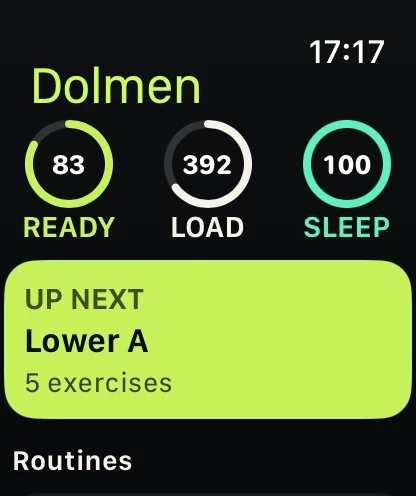
Open Dolmen on your watch and tap Up next.
-
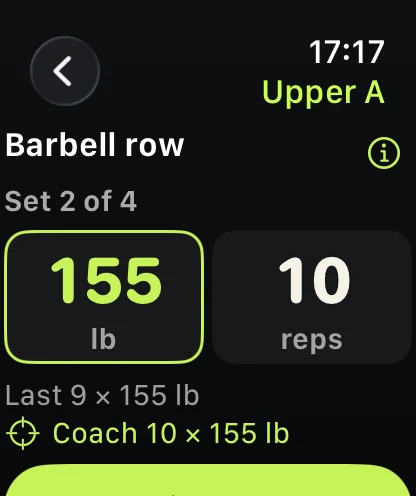
Turn the Digital Crown to set the weight. Tap the reps and turn again.
-
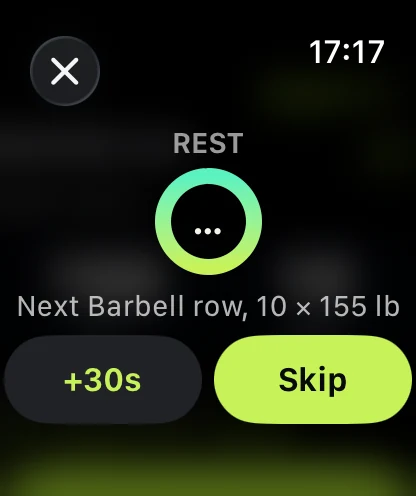
Tap Done. The rest starts, and a tap on your wrist tells you when it is over.
-
Need more rest? Tap +30s. Ready early? Tap Skip.
Good to know
- The workout moves between watch and iPhone. Pick it up on whichever is closer.
- Allow Apple Health and the watch also shows your heart rate.