 Dolmen
Start your first workout
Open the Train tab, tap Start, tick each set as you finish it, then tap Finish.
Steps
-
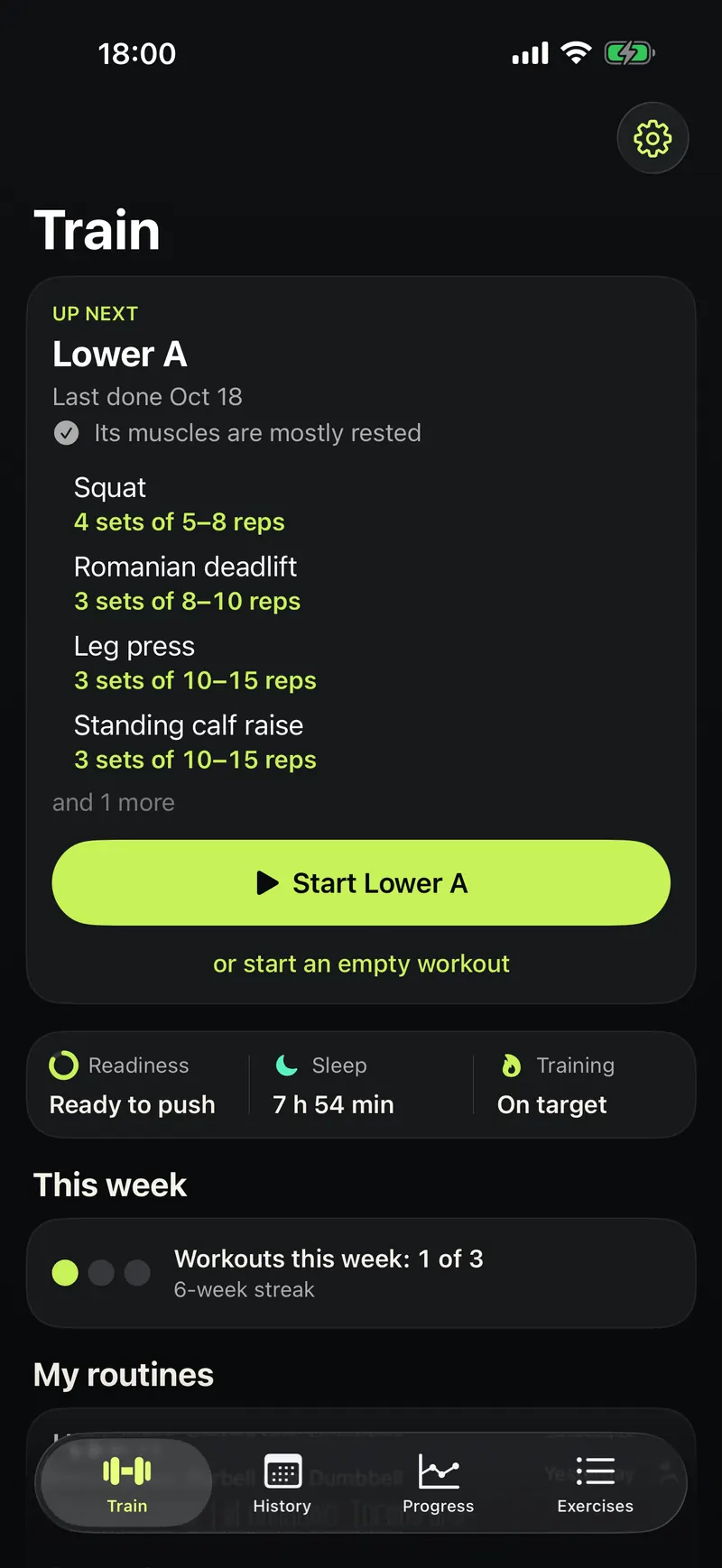
Open Dolmen. The Train tab shows your next workout under Up next.
-
Tap the green Start button.
-
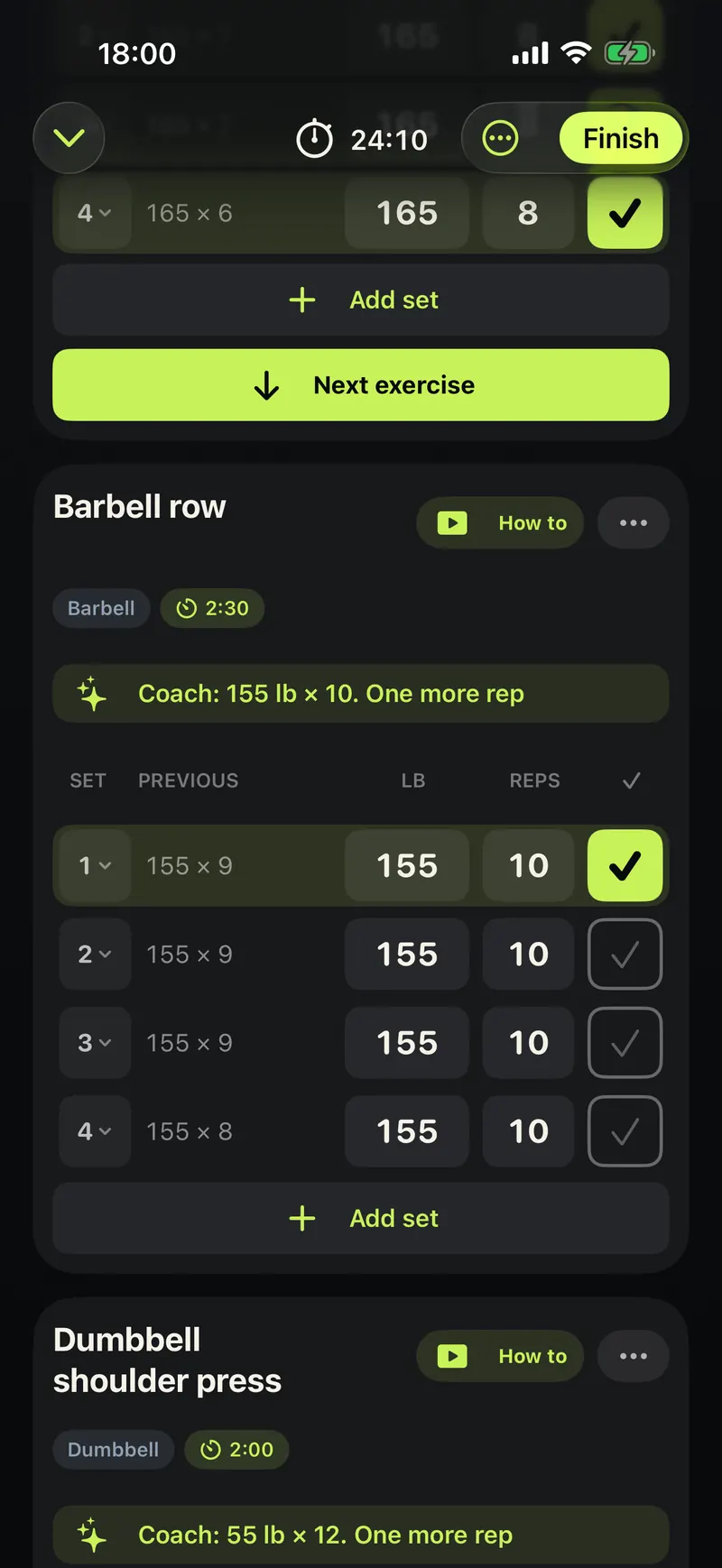
Each exercise lists its sets. Last time's numbers sit next to every set, and today's are already filled in.
-
Lift, then tap the tick next to the set. The rest timer starts by itself.
-
When you are done, tap Finish at the top.
-
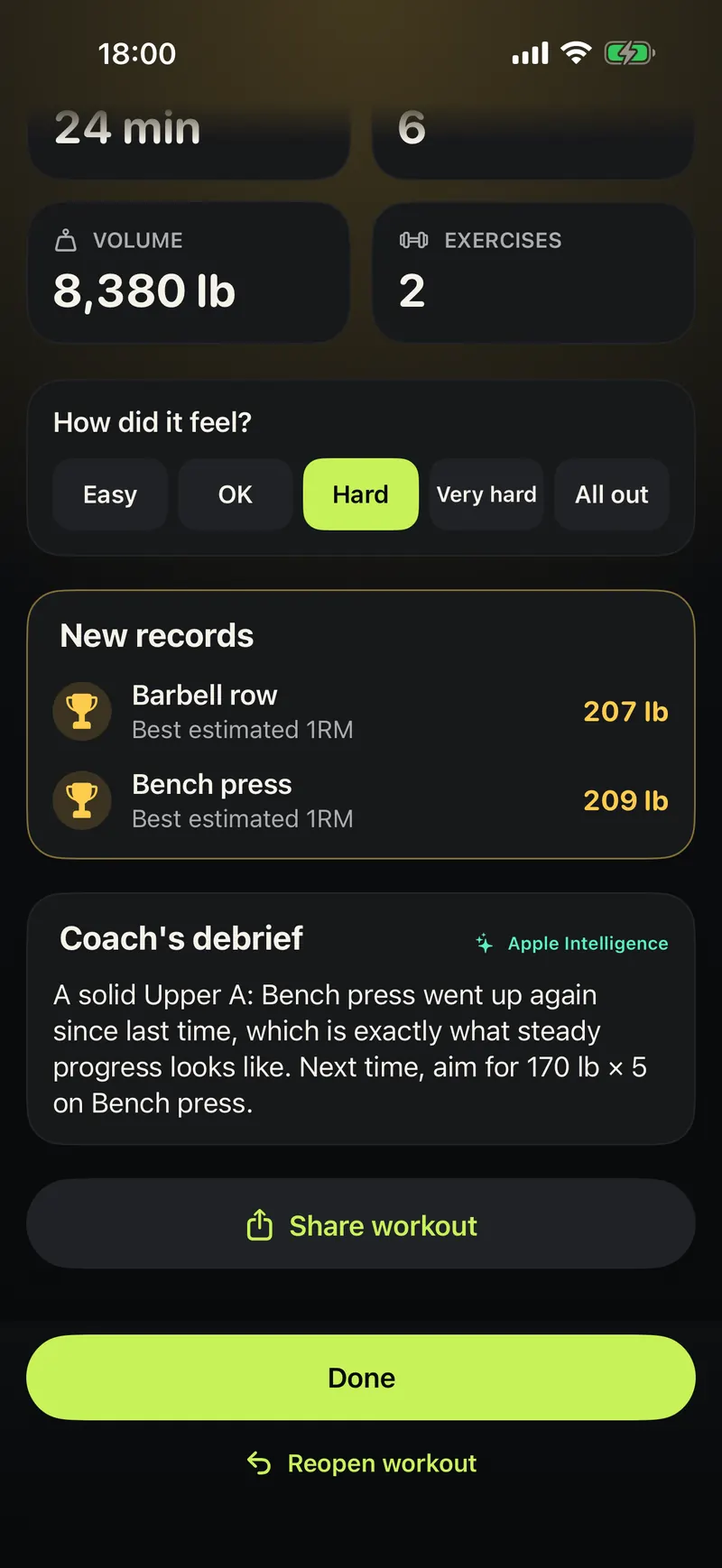
Pick how hard the workout felt.
-
Tap Done. Your workout is saved in History.
Good to know
- No routine yet? Tap "or start an empty workout" and add exercises as you go.
- You can change any number before you lift.